Claude Code Workshop Resources
by Stian Håklev
Last updated March 9, 2026
Presentations
Getting the Most Out of Claude Code
7,500+ sessions, a heap of mistakes, and some good patterns
→Building AI Into Products
From simple API calls to agentic systems
→Workshop Project Ideas
📱
Personal Mobile App
Have you ever wished for an app that does exactly what you want? Now you can build it. And when you build AI into it, you get incredible functionality.
Example: Take a photo of a book in the bookstore → a beautiful UI showing reviews, summaries, and similar books. Or a workout app that analyzes your progress and suggests adjustments. Or a plant identifier that gives care tips.
You don't need an Apple Developer license — use Expo with development builds on your own phone. Download one of Stian's Expo repos as a starting point so you skip all the boilerplate. Claude Code can build the entire app while you describe what you want.
AI integration: Use the camera for image analysis (vision API), the microphone for speech, and Vercel AI SDK for streaming chat. Expo gives you access to all native capabilities — push notifications, GPS, accelerometer, health data.
🎓
Visual, Interactive Learning
Choose something you want to learn: a sorting algorithm, TCP handshake, B-tree, Raft consensus, Fourier transforms — anything. Ask Claude to research it and produce a visual, interactive demo.
Approach: Start by asking Claude to create an HTML page with animations and interactive controls. Iterate until you have something that actually helps you understand the concept. Single-file HTML with inline CSS/JS makes it easy to share — just open it in the browser.
Use cases: Onboarding new colleagues, client presentations, internal knowledge sharing. Ask Claude to use canvas for animations, range inputs for user-adjustable parameters, and step-by-step controls to walk through an algorithm.
💬
Build Your Own AI Chat
An AI chat that can do things is much more useful than one that just answers. With tool calling, you can let the AI fetch data, run operations, and present results — all in a natural conversation.
Have a system? Expose some of its data or functionality as tools. For example, a CRM where the AI can look up customers, a booking system where it checks availability, or a project management tool where it summarizes status.
Don't have a system? Use public APIs as tools — Yr (weather), Entur (transit schedules), Wikipedia, or anything with a REST API. Vercel AI SDK makes it very easy to set up streaming chat with tool use — you define tools as TypeScript functions with Zod schemas.
Architecture: Next.js + AI SDK is the fastest path. You get streaming, tool calling, and a ready-made chat UI component. The entire setup is ~50 lines of code for a working prototype.
🔬
LLM Evaluation
Choose a task where quality is subjective and hard to evaluate manually. For example: classifying customer inquiries, writing product descriptions, ranking articles, or categorizing support tickets.
Process: Define evaluation criteria → run multiple models (GPT-4o, Claude, Gemini) → have a stronger model evaluate the output from the others → iterate on the prompt until you get the best possible results. This is the core of “evals” — the most important skill for AI product development.
Practical value: Evaluations are what separate “this kind of works” from “this works well.” Learn the pattern here, and you can apply it to any AI project afterward.
📸
AI Memories / Photo Project
Can you recreate Facebook Memories or Apple Memories? Give the AI access to your camera roll, let it choose the most interesting photos, and build a timeline with text and context.
Approach: Use the vision API to analyze images — find the most visually interesting ones, group them by theme or time, and generate descriptions. Build a beautiful HTML timeline or a mobile app with Expo.
Bonus points: Connect to Suno to generate a custom song for the memories. Or use TTS to create a voice-over that narrates the story.
📊
Dashboards and Analytics
Have access to logs, Datadog, Google Analytics, Mixpanel, or any other analytics system? Get the data to Claude and let it build custom dashboards and visualizations that truly answer the questions you have.
Three paths to data: Export as CSV/JSON, give Claude direct API access (e.g., via environment variables), or build an MCP server that wraps the API — then Claude can fetch data on-demand while building the dashboard.
Claude is fantastic at finding patterns in data you didn't know about. Unlike Grafana/Metabase, you skip the config — you just describe what you want to see and get a self-contained HTML you can open directly. Iterate: “can you add a timeline?”, “what if we group by week?”.
Examples: API response times with anomaly detection, user journeys as Sankey diagrams, error rates correlated with deploys, customer behavior segmented by cohorts.
🧩
Chrome Extension
Chrome extensions are simpler than you think — it's just HTML, CSS, and JavaScript with a manifest. Claude can build one from scratch in minutes, and you test it immediately in the browser.
Ideas: Remove annoying elements from sites you use daily. Add dark mode where it's missing. Auto-fill forms. Translate text inline. Add keyboard shortcuts. Change default behavior on internal tools.
With AI: Add a context menu that summarizes selected text, translates it, or explains code — via an API call to Claude/GPT directly from the extension.
Setup: chrome://extensions → Developer mode → Load unpacked. No Chrome Web Store required. You'll have a working extension in under an hour.
🔌
MCP Server or CLI Tool
A lot of valuable data is available via APIs but invisible to AI. For example, the National Library of Norway has millions of books and newspapers, no access control — but the AI doesn't know it exists.
Two paths: Build an MCP server (Claude/Cursor sees it as a tool in the chat) or a CLI (which Claude Code can call via Bash). Both approaches work — MCP is more portable, CLI is faster to build.
The design challenge: What does the AI need to make good searches? How do you present the results? Should it be able to filter, paginate, fetch full text? This is the interesting problem — API wrapping is the easy part.
Norwegian APIs: National Library (books, newspapers, images), Kartverket (maps, property, place names), Entur (transit schedules, real-time), yr.no (weather), SSB (statistics), Brønnøysundregistrene (company data), municipal datasets. Many with open APIs requiring no key.
🎙️
Voice Chat with AI
LiveKit has an open source platform for real-time audio/video, including AI agents. You can set up a voice chat where you speak naturally with an AI — low latency, natural pauses, and interruptions work.
Use cases: Customer service demo for a client, language learning with an AI tutor, interview practice, accessibility help, or a fun demo to show off on Friday.
Setup: LiveKit has a Python agent framework with examples that work out of the box. Connect to OpenAI Realtime API for end-to-end voice, or build an STT → LLM → TTS pipeline for more control. Free tier is enough for prototyping.
Combine with tools: Give the voice agent access to tools — then it can look up information and run actions while you talk. This is where it really gets impressive.
⚡
Automate Your Workflow
Think about what you do manually every day or week. Time tracking, status reports, Jira updates, PR descriptions, deploy procedures, code templates. Build a /skill that does it for you — in a couple of minutes.
Skills are Markdown files in .claude/skills/ that define a prompt + instructions. You write what you want Claude to do, and it becomes a slash command. Hooks are shell commands that run automatically on events — e.g., after every commit, after Claude reads a file, or before it runs a bash command.
Examples: /weekly-report that generates a weekly status from git log and Jira. /pr that creates a PR with a good description. A hook that automatically runs linting after file changes. A skill that generates test data based on schemas in the project.
Sharing: Skills can be installed from a URL with /install-skill. Build something useful for the team and share it — then everyone has access to it as a slash command.
🕵️
Scrape, Filter, and Summarize
Pick something you want to keep an eye on: the housing market in your area, Hacker News, competitors' product pages, job postings in your field, or new research papers.
Pipeline: Scrape with Playwright or cheerio → filter with AI (“is this interesting to me?”) → summarize the highlights → send via email, Slack, or ntfy push notifications to your phone.
Approach: Start with a simple Node/Python script that scrapes one source. Run it locally first and verify the output is useful. Put it on a cron job or GitHub Action for daily runs.
AI twist: Use Gemini Flash (cheap and fast) for filtering each item. Have a stronger model create the final daily summary. Total cost: a few cents per day.
💰
Personal Data Analysis
You're probably sitting on piles of personal data you've never properly analyzed. Export as CSV and let Claude build something useful — everything runs locally, the data never leaves your machine.
Examples: Bank statement → expense categorization with trend analysis and budget tracking. Strava/Garmin export → training insights and load curves. Goodreads export → reading habit patterns. Spotify history → listening patterns over time.
Approach: Give Claude the CSV file and ask for analysis. It will find patterns you didn't know about. Then ask for a self-contained HTML visualization with Chart.js — you get an interactive dashboard you can open in the browser.
Next steps: Build a script that automatically fetches new data and updates the dashboard. Or build a small webapp where you can upload files and get AI analysis on the fly.
🛡️
AI Code Review for the Team
An AI that knows your team's coding standards, architecture, and common pitfalls can catch problems before they reach code review. Faster feedback loop, fewer review rounds, and consistent quality.
Simple version: A Claude Code hook that runs on commit and gives feedback directly in the terminal. Advanced version: A GitHub Action that automatically comments on PRs with contextual improvement suggestions.
The key: Define your team's conventions in a CLAUDE.md that the review bot reads. Architecture decisions, naming conventions, error handling patterns, test expectations. Start narrow (just check one pattern) and expand gradually.
Combine: Have the AI review run after linting and type checking, so it focuses on logic, architecture, and readability — not things the machine already catches.
Stian's Tools
Search conversation history across all Claude Code sessions. Hybrid semantic + FTS5 search, filtering by project/branch/date.
TUI dashboard for parallel development with Claude Code. Overview of concurrent sessions, live logs, task management.
Claude Code skill for iterative design. Generates HTML mockups, displays them in a fullscreen carousel with keyboard voting and notes for structured feedback.
Curated collection of production-tested Claude Code skills, hooks, agents, and patterns from 7,500+ sessions.
Projects
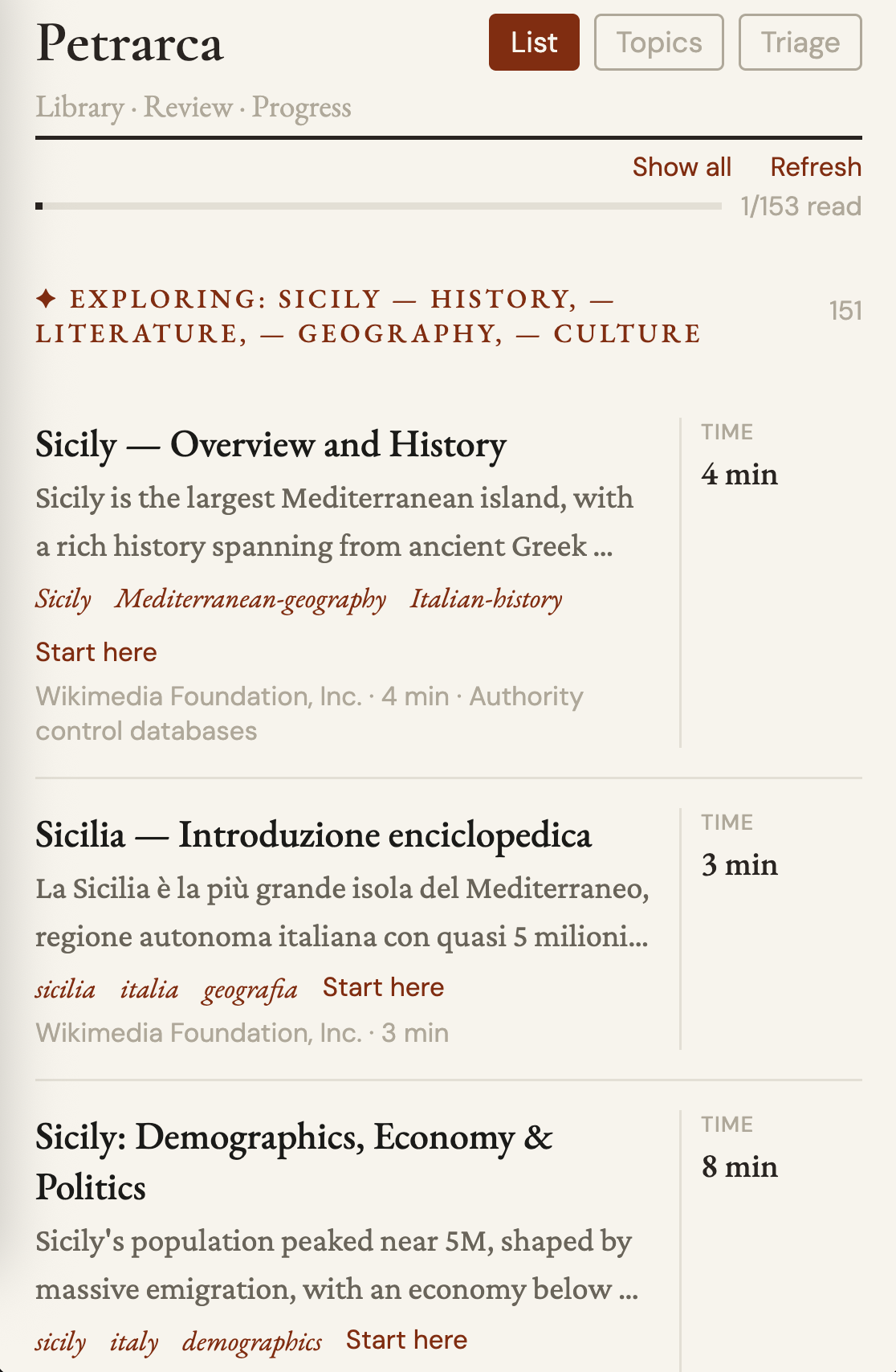
Expo mobile app for incremental reading. Email integration as web clipper, Twitter bookmarks with speech transcription, AI claim extraction. Example of Chrome Extension integration.
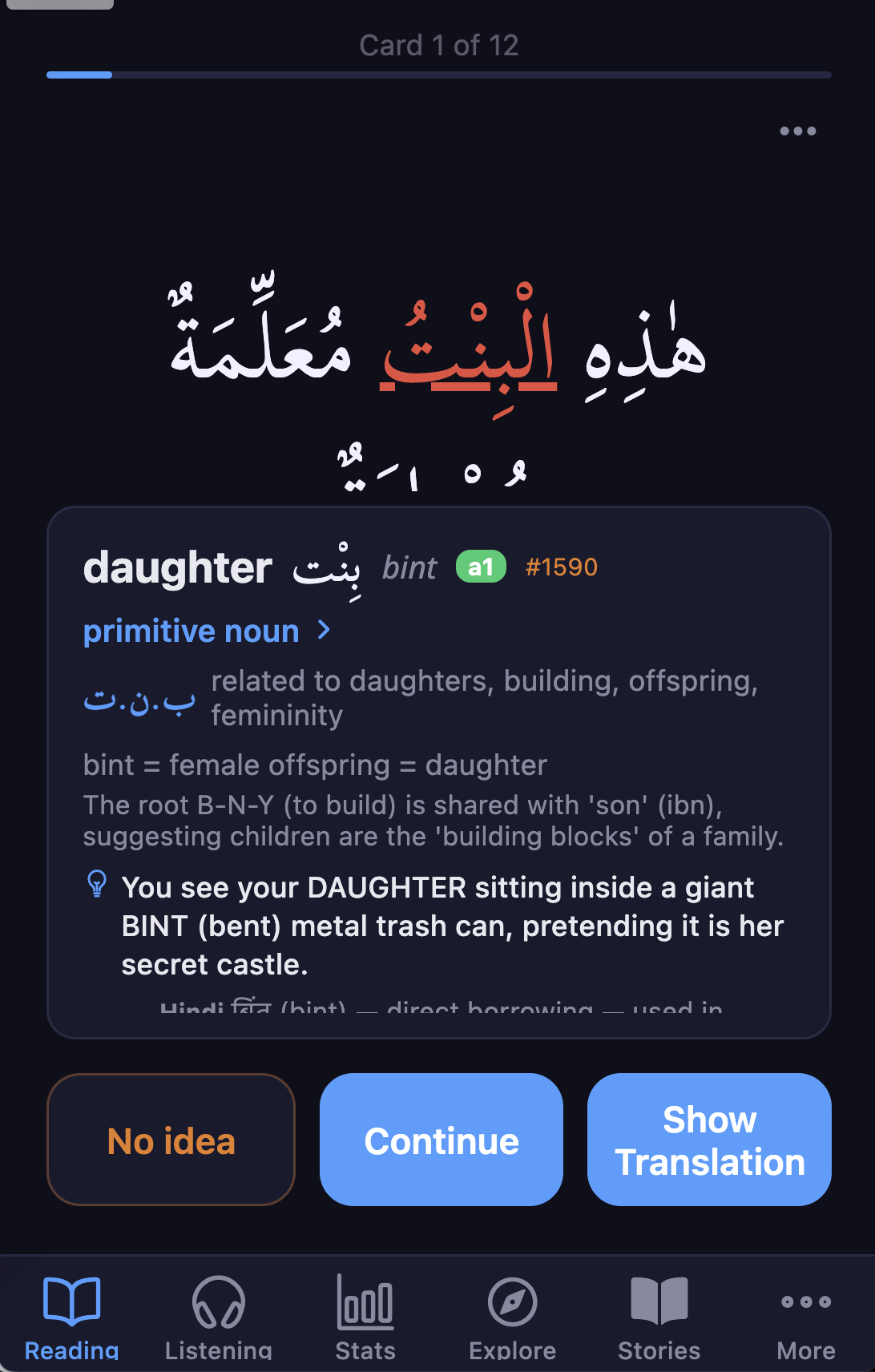
Expo mobile app for Arabic with spaced repetition (FSRS). Uses Claude Code as a sub-agent for content generation, Gemini for vision, and ElevenLabs for speech synthesis.
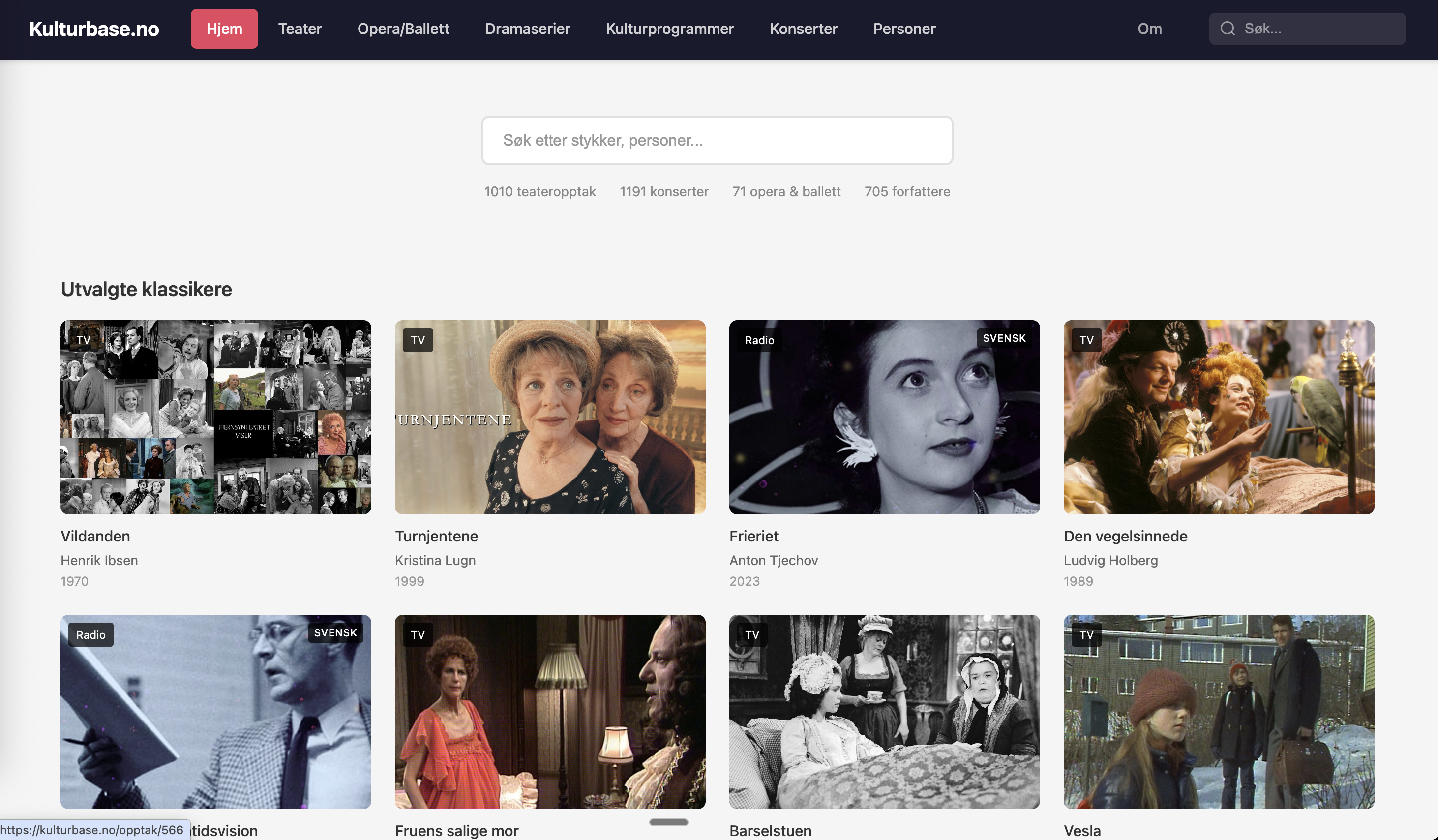
Nordic performing arts archive. 47MB SQLite in the browser via sql.js WASM. Example of Claude as a sub-agent (claude -p) and systematic processing of large datasets.
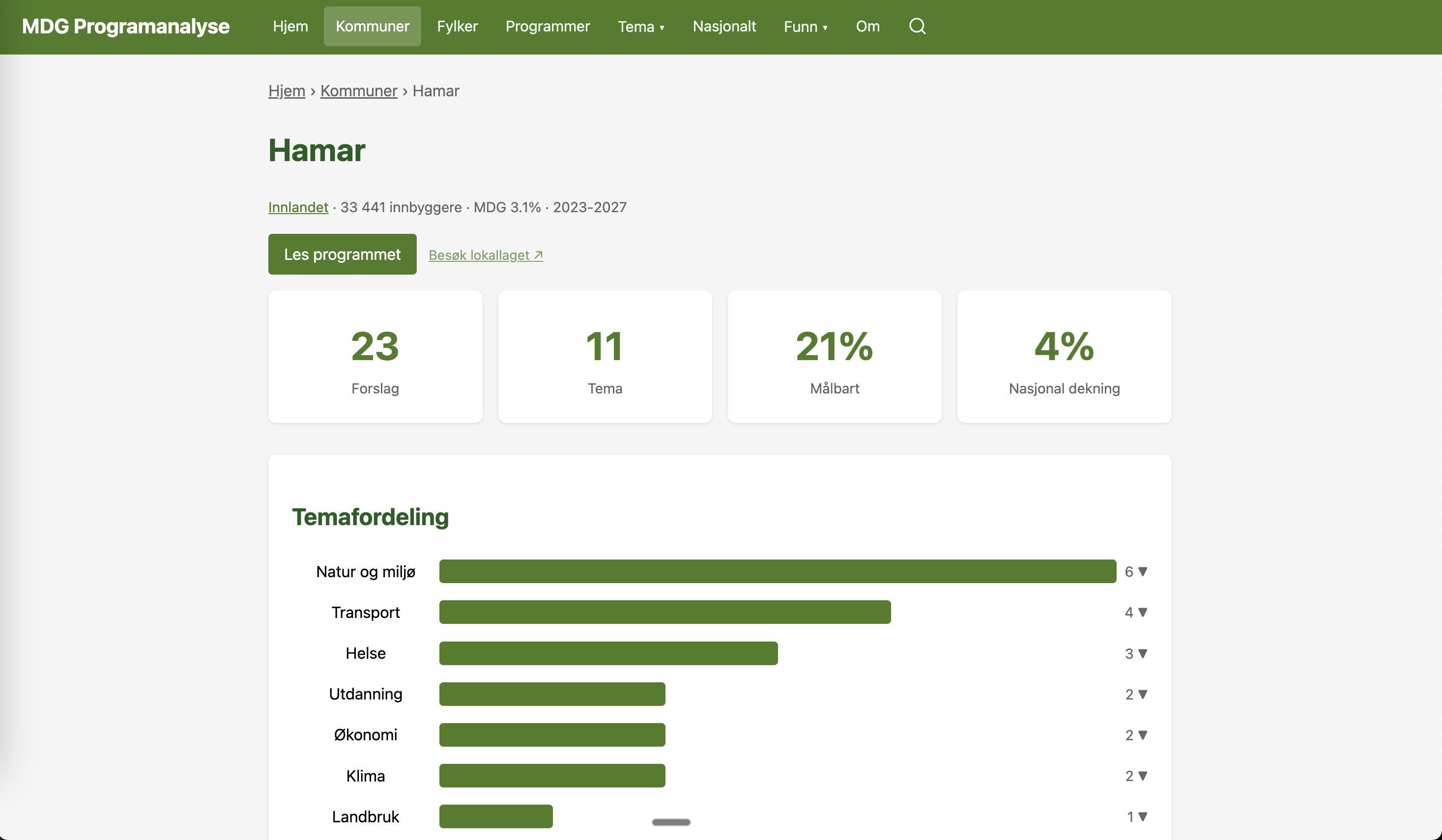
9 106 political proposals from the Green Party analyzed. Example of systematic processing with a combination of LLMs and semantic embeddings. SvelteKit + UMAP visualization.